AION2 1st Anniversary Festival

AION2
1st ANNIVERSARY

Three Shugo Festa games and an AR pet photo booth

Yangjae, Seoul · aT Center, Exhibition Halls 1 & 2
2026.11.08

We planned and developed three Shugo Festa games and an AR pet photo booth, created sound effects for each experience, and operated them on site.

Client
NCSOFT
Agency: FIG
Year
2026
KNOVCOMPILE's role
Interactive content planning, development & operation
Three Shugo Festa games · AR pet photo booth
Sound effects design

EXPERIENCE

Booth experiences

Venue layout

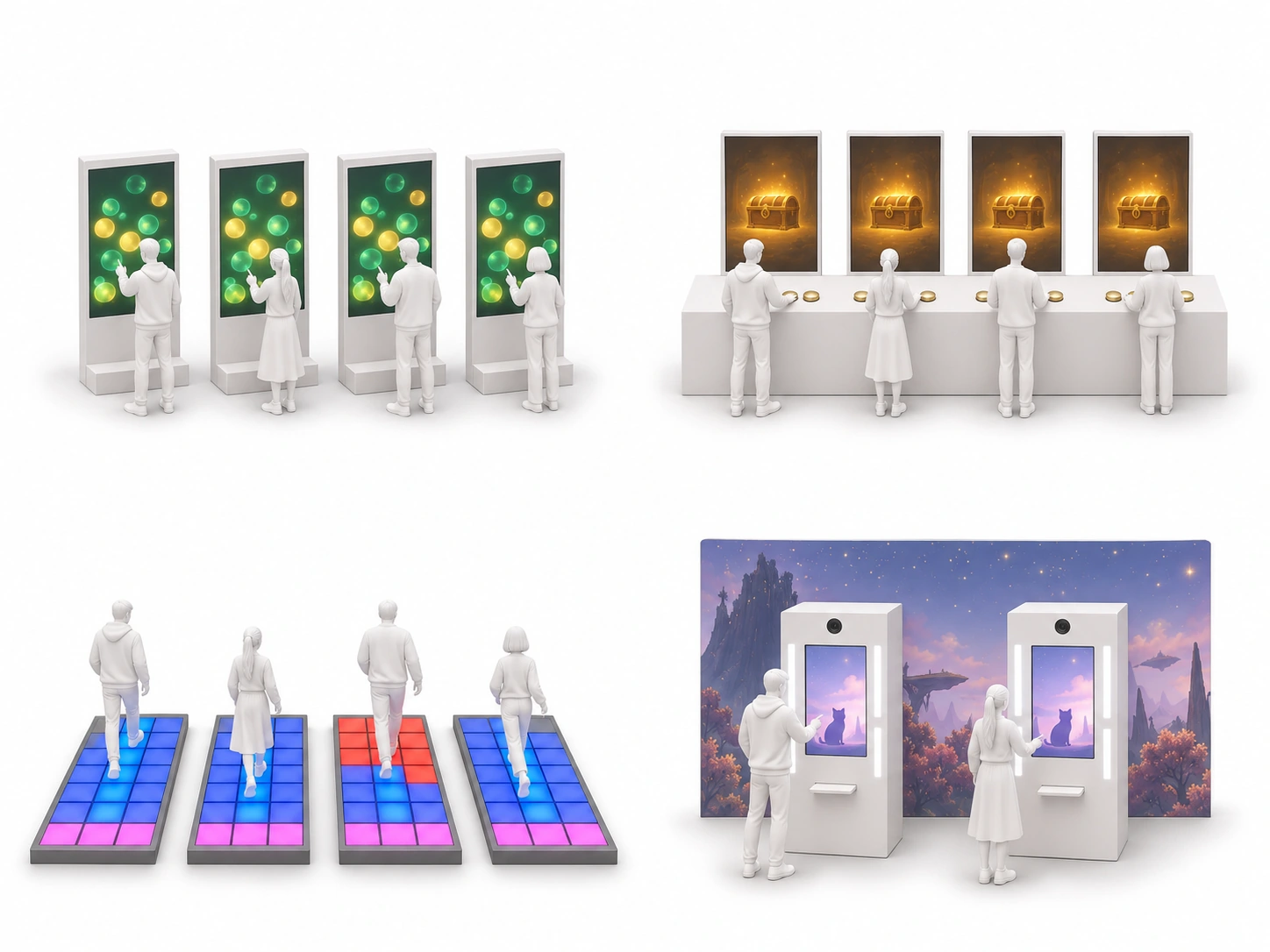
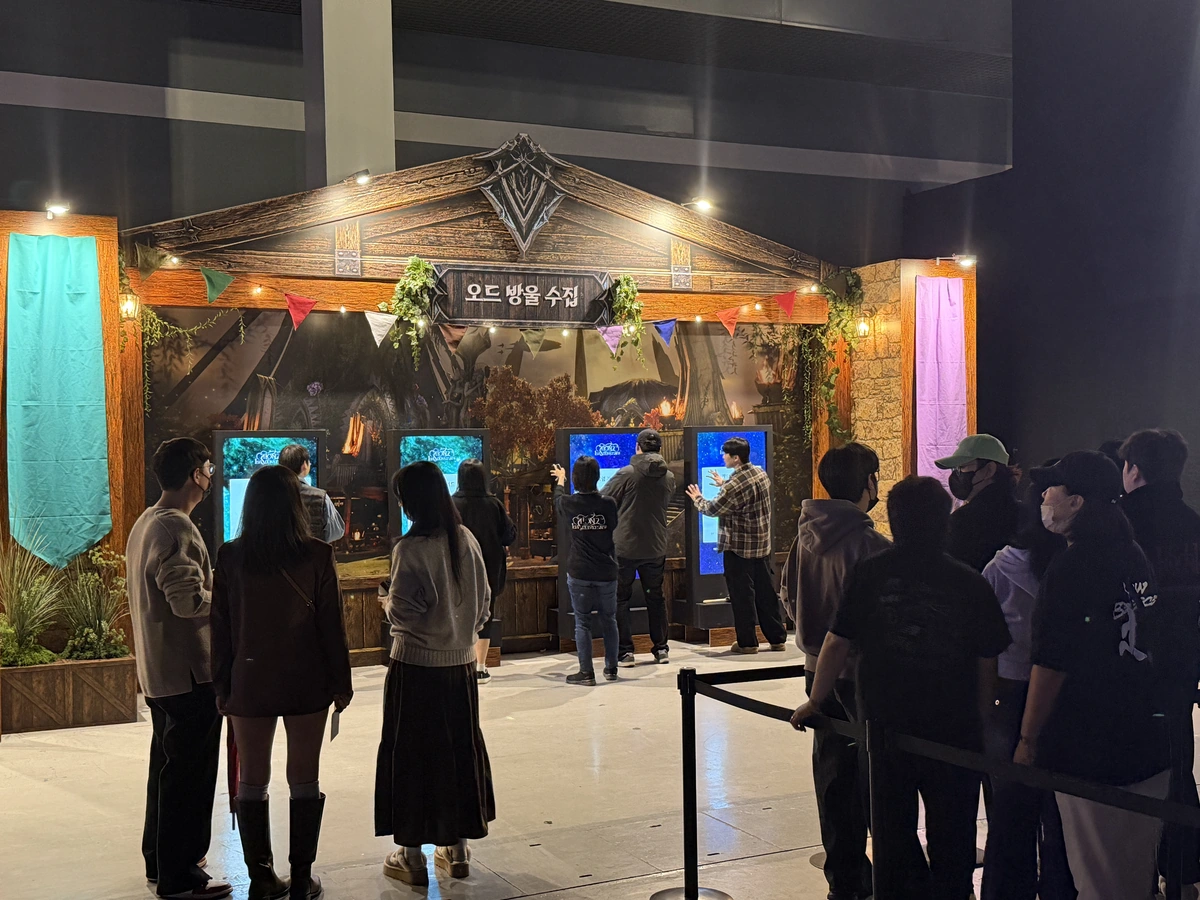
The AION2 first-anniversary festival took place at aT Center in Yangjae on November 8, 2026. We installed three Shugo Festa games and a pet photo booth on either side of the main stage.

Right-side experience zones

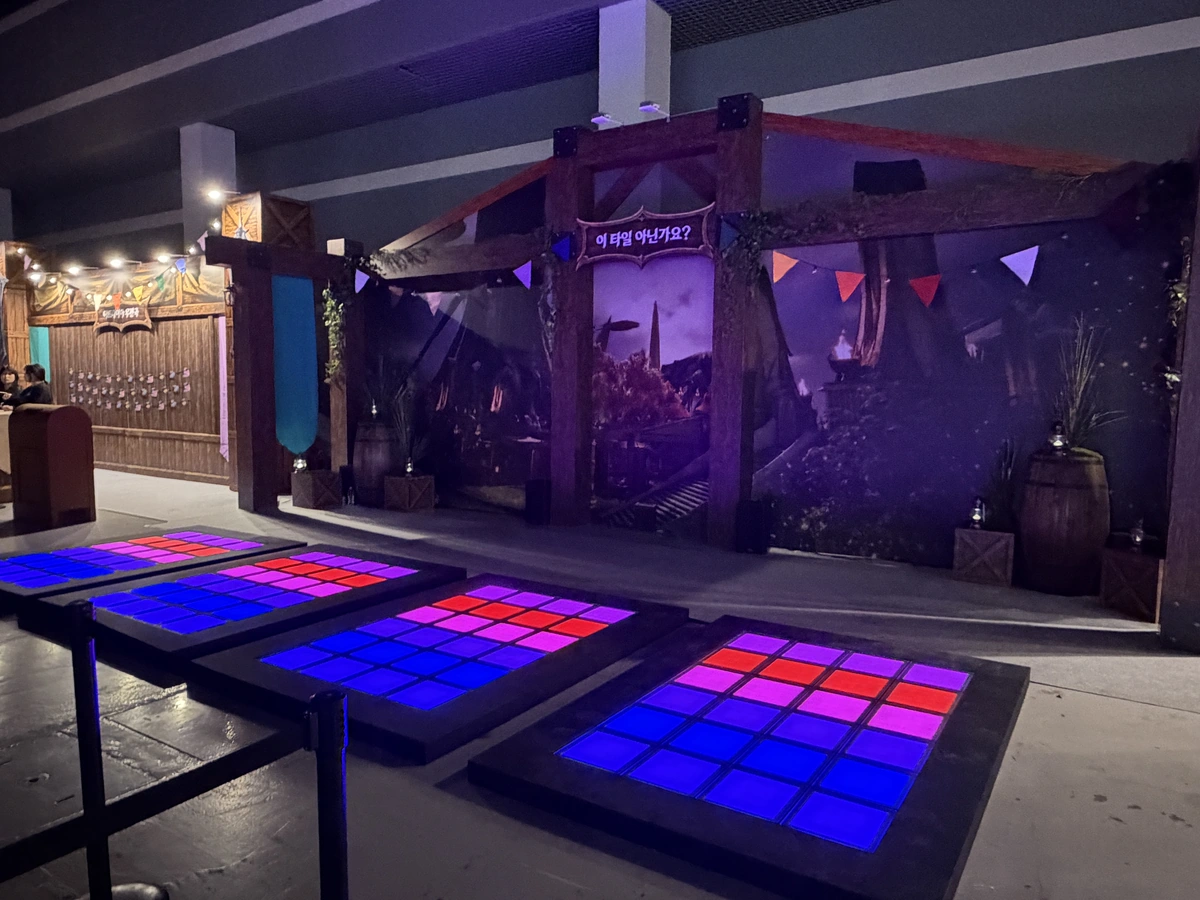
A3 Tiles facing downward on the plan

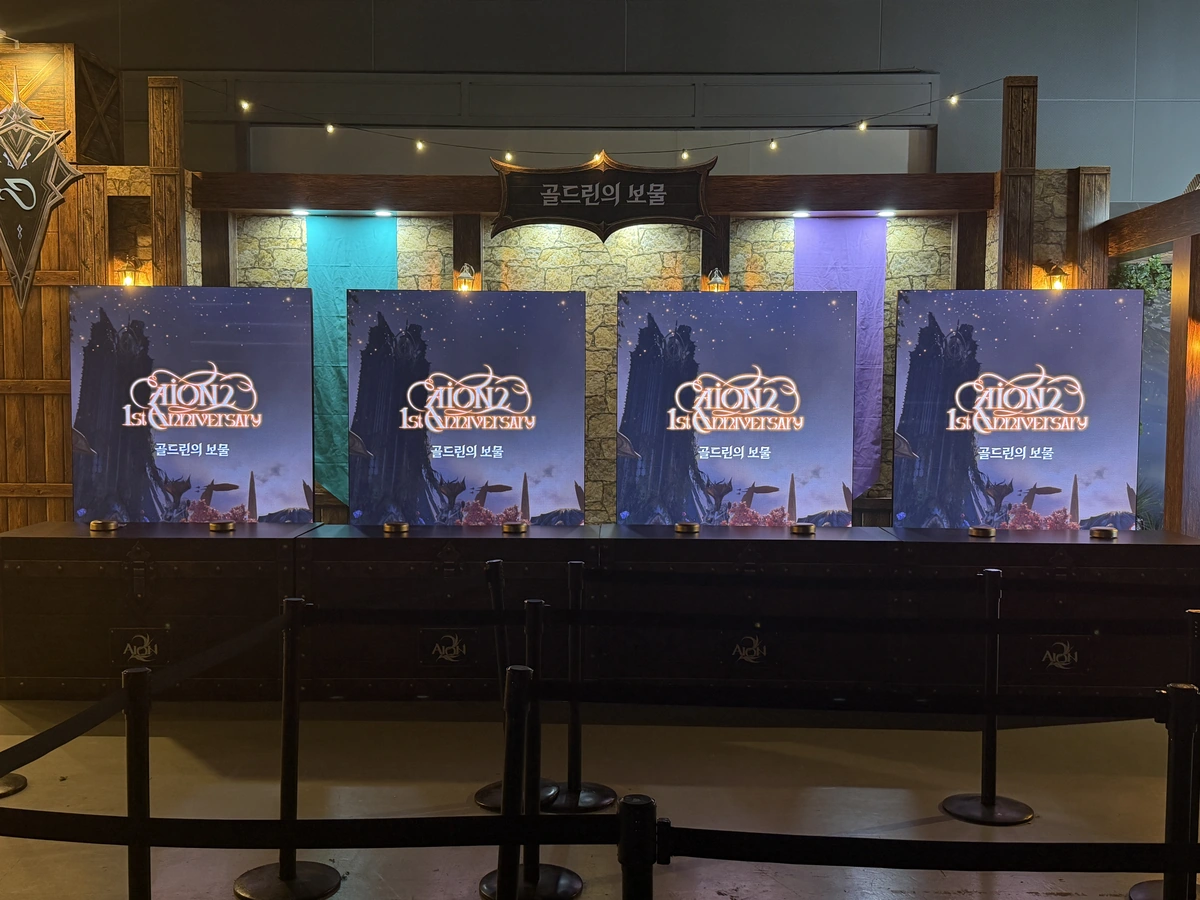
A2 Goldrin’s Treasure

B Pet photo booth below Goldrin on the plan

Main stage and experience booths · AION2 official livestream
Exhibition overview · AION2 official livestream
Shugo Festa interactive games

Three games,
three ways to have fun!

Three games use different controls: touch kiosks, physical buttons and LED floor tiles.

01

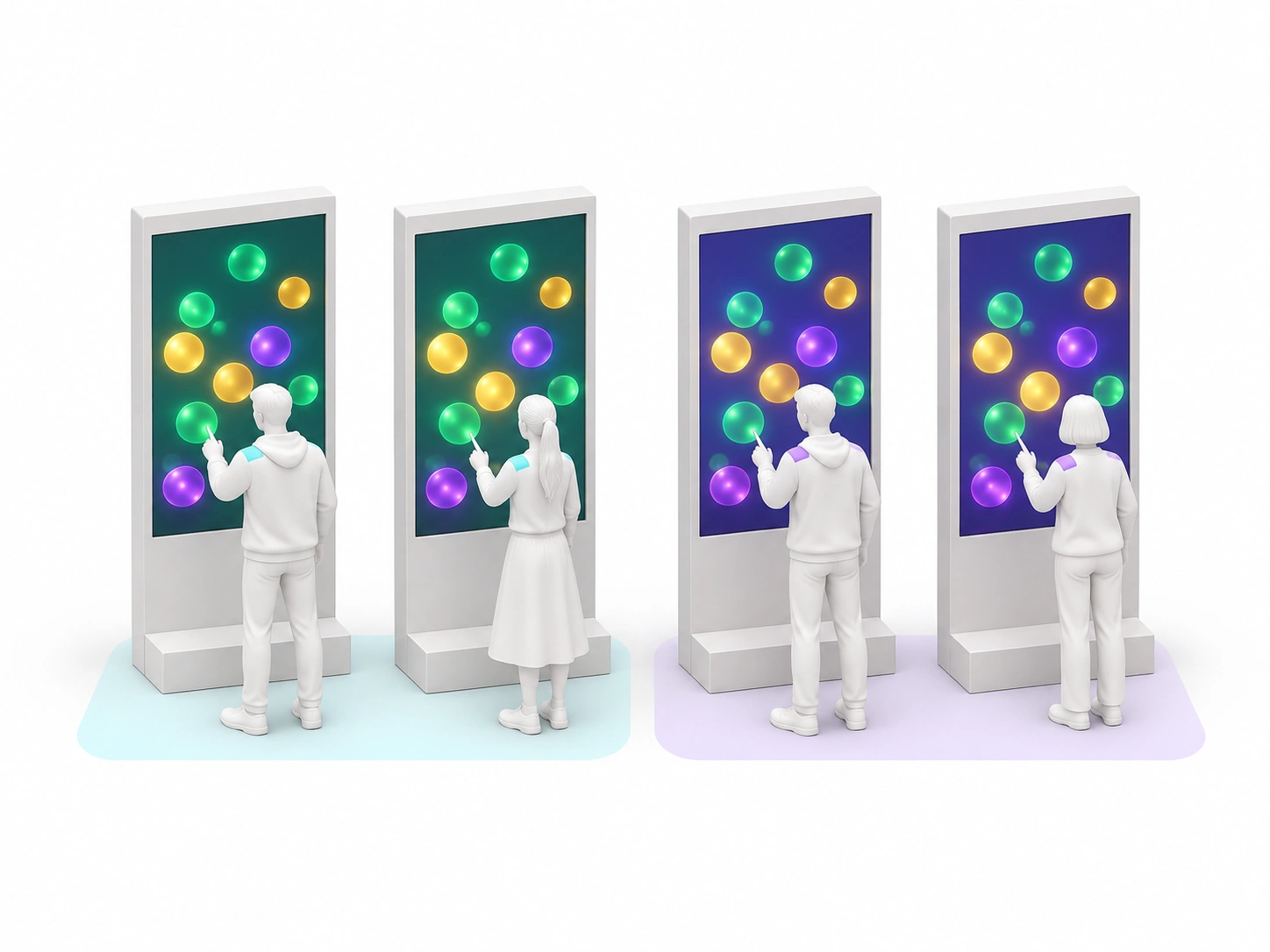
Od Bubble Collection

Touch the bubbles
to score points!

Two Elyos and two Asmodians play at four portrait touch kiosks. Over 20 seconds, green, gold and purple bubbles earn 50, 80 and 200 points. The team with the higher combined score wins.

  • Four screens
  • 2v2 team match
  • 20 seconds

In AION2, Od Bubble Collection is a minigame in which Daevas fly through the sky collecting bubbles.

Standby → bubbles on four screens → TIME UP → match results

Kiosk screens · Step by step

Kiosk screen recording
Game guide
Countdown
Touching bubbles
TIME UP
WIN · Team scores
Popping bubbles
Team results

02

Goldrin’s Treasure

Tap the buttons
to open the treasure chest!

Four players compete simultaneously in a rapid-tapping game. Each player has two buttons and one LED screen. After the countdown, every press reduces the remaining count during a 20-second round. The first player to reach zero opens the on-screen chest.

  • Four simultaneous players
  • Eight buttons
  • 20 seconds

In the original Goldrin’s Treasure minigame, players open chests and compete to find the most treasure.

3·2·1 → rapid taps reduce the count → results

Game screens · Step by step

Game guide
3·2·1
Taps remaining
Chest opens
WIN · LOSE
Game screen recording (two screens)

03

Is This the Right Tile?

Remember, step and cross!

The LED tile lanes display a blue safe route for five seconds. Once the lights go out, players cross using the tiles they remember. Stepping on a wrong tile turns that lane red and eliminates the player.

  • Four lanes
  • Five seconds to memorize
  • Step detection

In the original minigame, players find the correct footholds and cross the blue tiles.

Standby pattern → safe tiles light for five seconds → crossing → failure
Tiles waiting for the start
Safe tiles lit for five seconds
Crossing the remembered route
A wrong step turns the lane red

Game screens and event photos

Office test video
Standby pattern
Safe route
Step result
Wrong tile
Success
With My Pet · AR photo booth

Take a photo
beside your favorite pet!

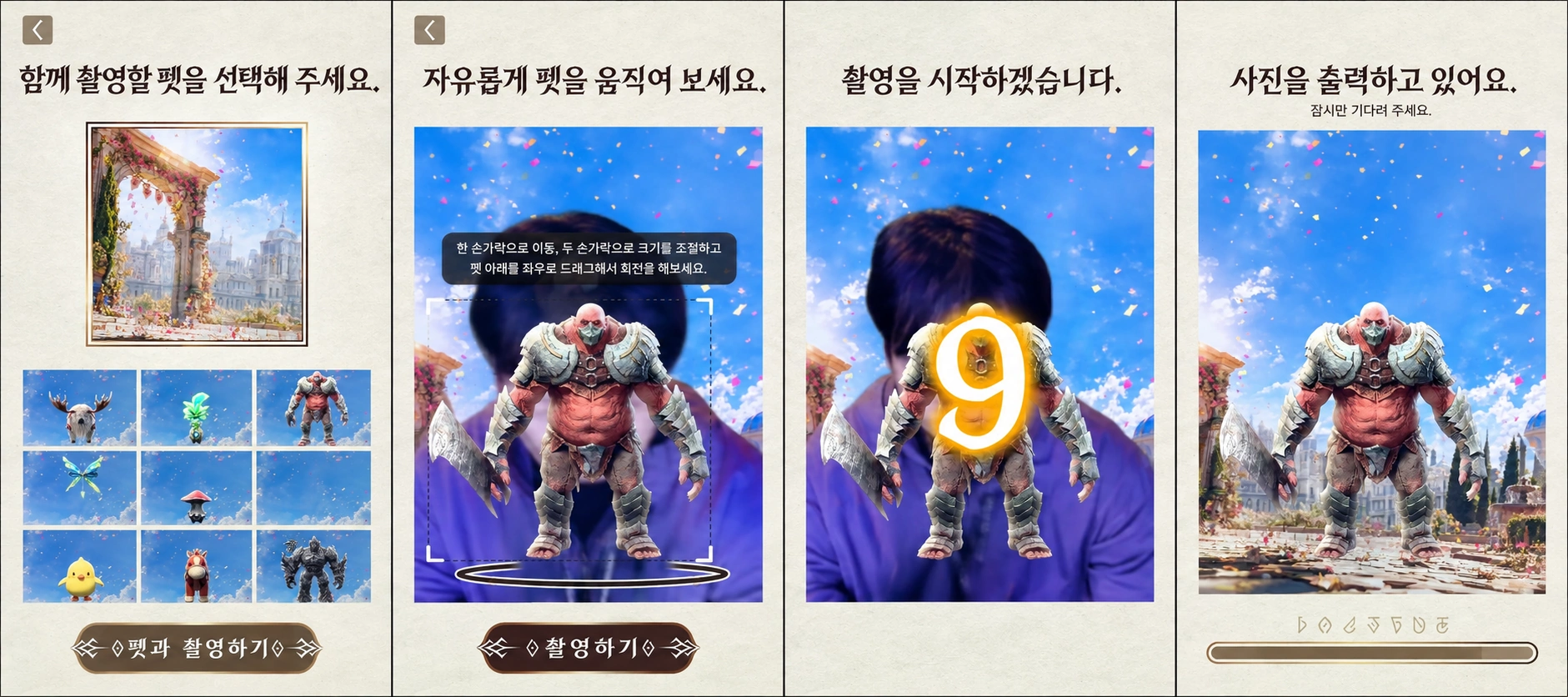
Choose from nine pets and adjust its position, size and orientation on screen. Stand on the footprint marks to take a photo with your pet. The photo is printed on site and can also be saved to your phone using a QR code.

  1. Choose a pet

    Select the pet to join your photo.

  2. Place it beside you

    Adjust position, scale and rotation.

  3. Take home a photo

    Keep it as a print or QR download.

From pet selection to printing
Front-corrected pet selection screen
Choose a pet
Front-corrected position, scale and rotation screen
Position, scale & rotation
Front-corrected photo capture screen
Take a photo
Front-corrected photo printing screen
Photo printing
With My Pet photo wall
Photo kiosk
Kiosk with a pet on screen
Kiosk demonstration at the event
Sound design

Detailed sound effects
that deepen immersion

We edited NCSOFT’s in-game effects and created or layered additional sounds for the on-site experiences. Select a scene for each game to hear the effects used.

Od Bubble Collection at the event

Od Bubble Collection

Countdown

When the numbers change: 3, 2, 1

Created by KNOVCOMPILE
Goldrin’s Treasure at the event

Goldrin’s Treasure

3·2·1 · Start

During the countdown and the chest’s appearance

Official effects + KNOVCOMPILE creation & layering
Is This the Right Tile? at the event

Is This the Right Tile?

Countdown

Countdown before the start

Created by KNOVCOMPILE

On-site documentation

Outside Od Bubble Collection
Goldrin’s Treasure
With My Pet
Participants crossing all four lanes simultaneously
Is This the Right Tile?

First-anniversary festival · Gallery

Experience booths across the hall
aT Center with the anniversary banner · Inven
Orchestra stage · Inven

Od Bubble Collection · Gallery

Participants popping bubbles · Inven
Od Bubble Collection booth · GameToc
Just before the start
Queue outside the booth

Goldrin’s Treasure · Gallery

Game guide
Countdown
The count drops with each tap
Four screens showing WIN and LOSE · GameToc
Participants tapping buttons · Inven
Button counter and four screens
Buttons on the counter

Is This the Right Tile? · Gallery

Participants on the tile lanes · Inven
Participants crossing the blue route · Inven
Four LED floor tile lanes
One tile platform

Credits

Client
NCSOFT
Agency
FIG
Event
AION2 1st Anniversary Festival
aT Center Halls 1 & 2, Yangjae · November 8, 2026
Photography · Video
KNOVCOMPILE · Inven · GameToc · AION2 official livestream
Interactive content planning
Od Bubble Collection touch game development
Goldrin’s Treasure button-tapping game development
Is This the Right Tile? LED floor game development
With My Pet AR photo booth development
Sound effects design
On-site operation
KNOVCOMPILE
Sound effect sources
NCSOFT in-game audio
KNOVCOMPILE creation, layering & editing